Audit Log
The audit log records every change to holdings data without gaps: who changed what, and when — including the old and new value for each field. It cannot be disabled and cannot be manipulated by editors.
The cross-type overview is available in the admin UI under Audit Log; each individual record also shows its own history in the edit form.
Logged actions
Section titled “Logged actions”| Action | Description |
|---|---|
| Created | New record created. |
| Changed | Metadata field(s) changed — with old/new value per field. |
| Deleted | Record deleted. |
| Published | Status change (e.g. draft → published). |
| Media added / changed / deleted | Changes to attached media files. |
| Relation added / changed / deleted | Relations to other records. |
| AI schema assistance | Schema changes suggested by the AI and accepted, including the model used and token consumption. |
| AI translation | Accepted AI translation proposal for a multilingual field, including the model used, source, and target language. |
Batch edits appear as individual entries per affected record, but share a common batch identifier — see Batch Editing.
Marking AI-generated field values
Section titled “Marking AI-generated field values”Independent of the audit log, Katalon marks individual field values generated by the AI assistant (text suggestion or translation) directly in the edit form with a small “AI” icon next to the field. Hovering over it shows the model name and creation timestamp (AI-generated (<model>) on <timestamp>).
This marker (ai_provenance) is available for all seven core types: objects, entities, places, occurrences, procedures, collections, and storage locations.
Filtering and searching
Section titled “Filtering and searching”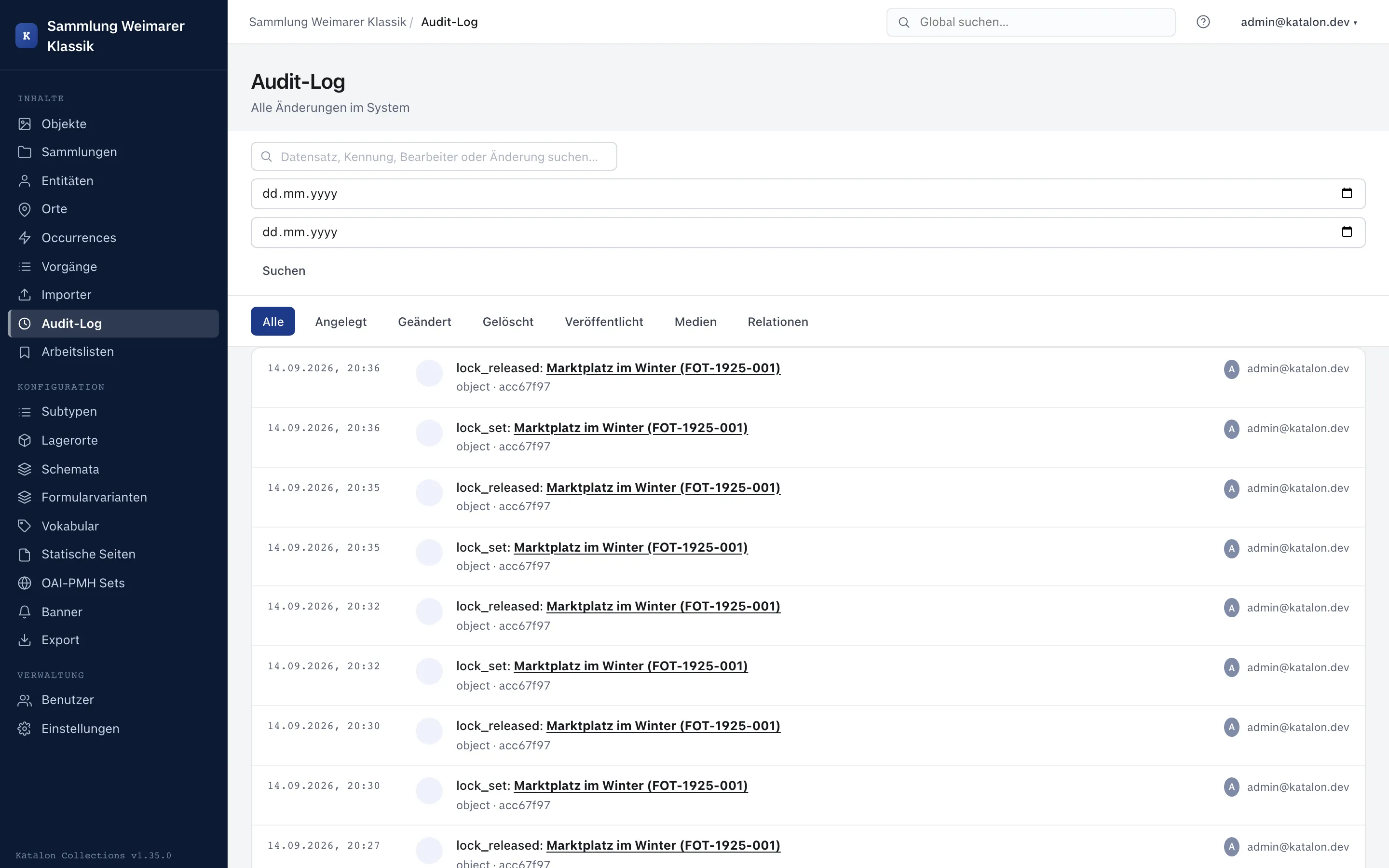
- Full-text search across record labels and changed values.
- Date range via from/to date.
- Action type filter bar (All, Created, Changed, Deleted, Published, Media, Relation).
- Results are paginated (50 entries per page).
Clicking the record name in an entry opens the affected record directly in the editor — even across record types (e.g. from an entity to an object linked via a relation).
Retention
Section titled “Retention”Audit log entries are not automatically deleted or rotated. They remain even after the associated record is deleted, thereby also documenting the time of deletion and who performed it.